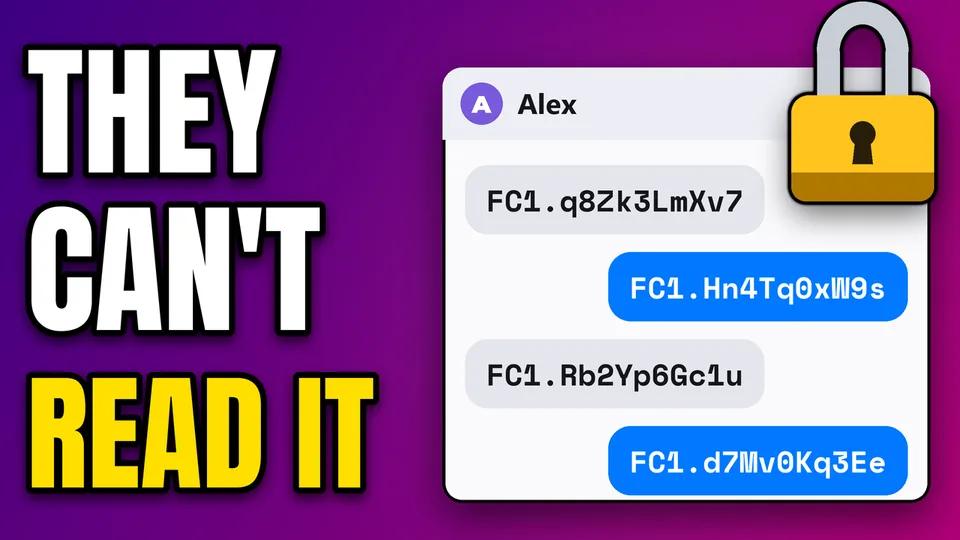
Encrypted chat usually means talking someone into installing the same app you have. ForeverCrypt flips that: you keep chatting where you already do — Discord, texts, email — and just paste one short code. The words are never in the clear.
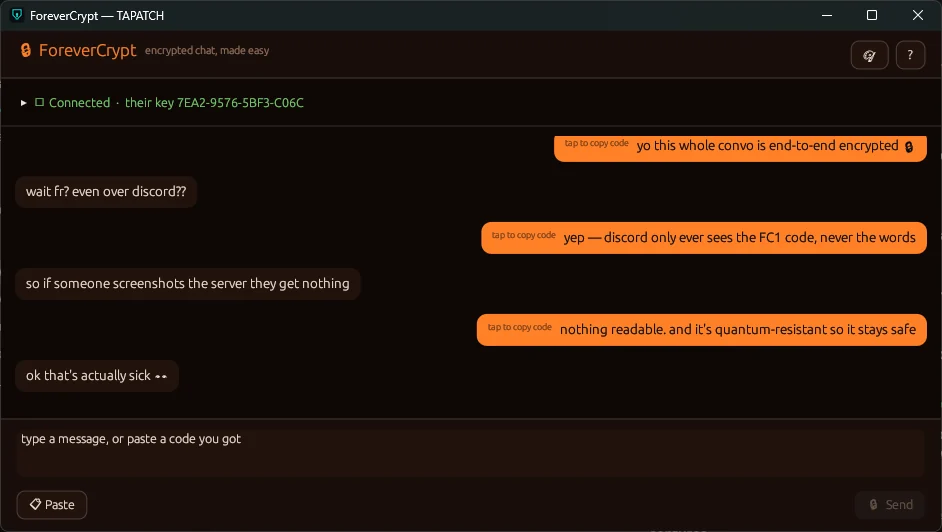
ForeverCrypt turns any chat box into an encrypted one. You and a friend swap public keys once, then lock each message to each other and paste the short FC1.… code wherever you already talk. Only the private key on each PC can open a message — not the app, not Discord, not someone who merely downloaded ForeverCrypt. Under the hood it uses ML-KEM-768 (NIST FIPS 203, post-quantum) to exchange a one-time secret to the recipient's key, then seals the text with XChaCha20-Poly1305. Your keypair is generated locally, the private half never leaves your machine, and a built-in Walkthrough explains the whole idea in plain language. 100% offline.
Features
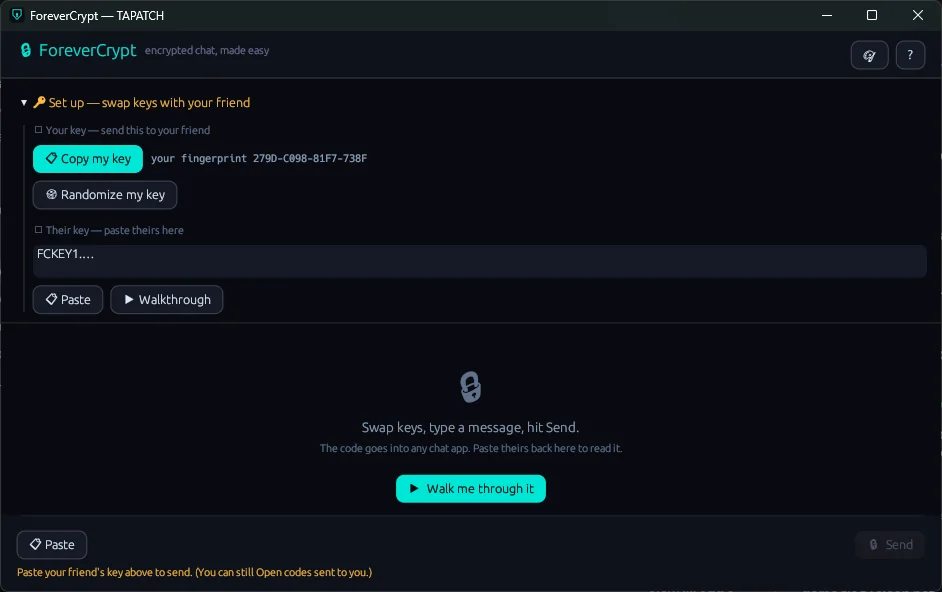
You each share a public key (a padlock) once — safe to post anywhere. Messages lock to your friend's padlock and only their private key opens them, so sending a key over Discord gives nothing away.
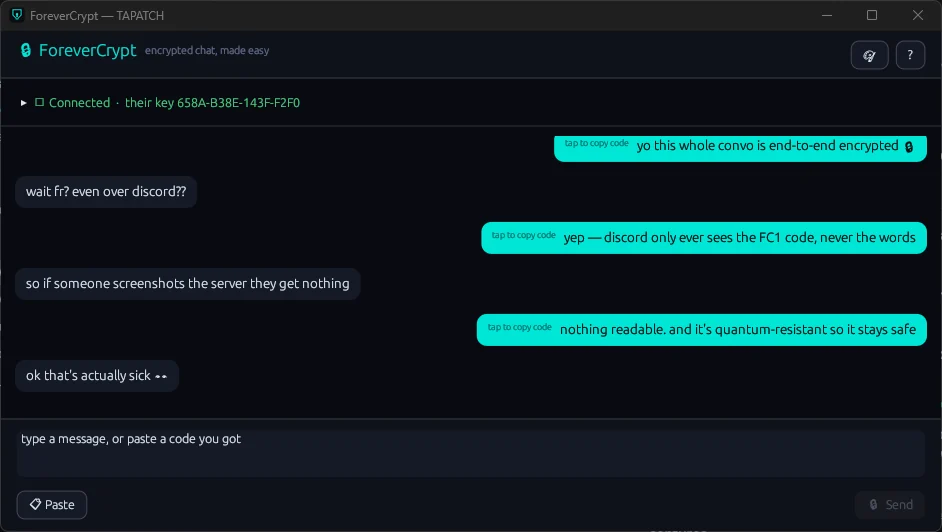
Type a message, hit Send, and it becomes one short FC1.… code. Paste it into Discord, iMessage, email, a forum — anywhere you already chat. Paste a code back to read it, laid out like a conversation.
ML-KEM-768 (NIST FIPS 203) exchanges a one-time secret; XChaCha20-Poly1305 seals the words. Designed to stay unreadable even against a future quantum computer.
Each install generates its own keypair from the OS secure RNG, and a Randomize button makes a fresh one anytime. Two copies on one PC get two different identities — never a shared fingerprint.
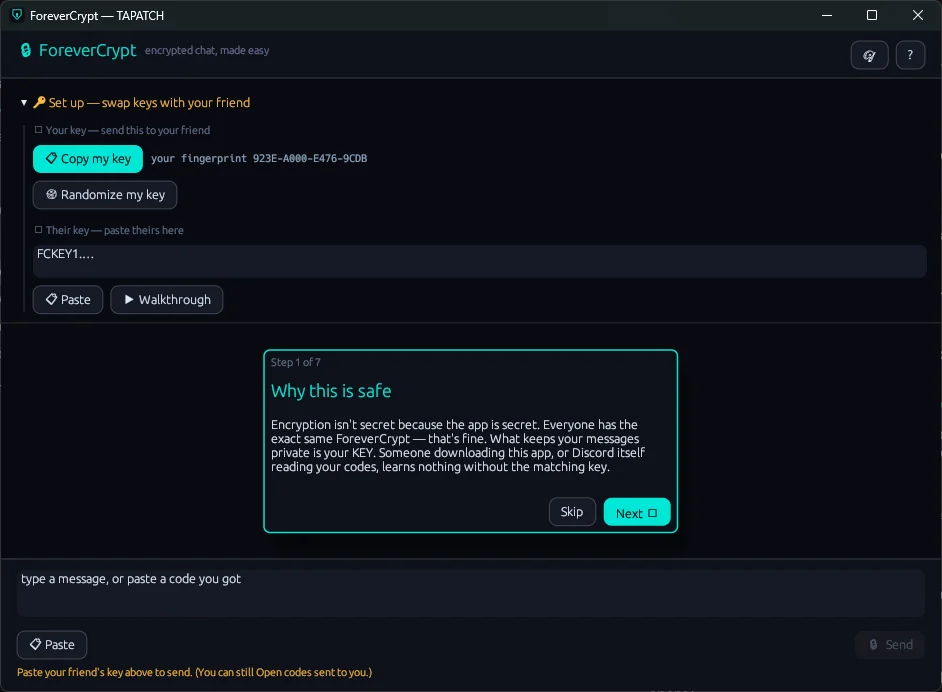
Security doesn't depend on the program being secret — everyone has the same ForeverCrypt. The only secret is your private key, and it never leaves your PC.
A built-in 7-step guide explains public vs. private keys, why Discord can't reverse a code, and how to check it's really your friend — no crypto background needed.
No accounts, no servers, no telemetry. ForeverCrypt never connects to anything — it just turns text into codes and back, right on your machine.
Windows 10/11 only. Security depends on verifying your friend's key fingerprint out of band (e.g. read it aloud on a call) so a pasted key can't be an impostor's. In 1.0 the private key is stored unencrypted in your user profile — a passphrase lock for it is the top item for the next release. ForeverCrypt encrypts the message text; it can't hide from the app you paste codes into who you're talking to.
Common questions
Is ForeverCrypt free?
Yes, for personal use. Using ForeverCrypt for a business or for paid work needs a commercial license, as the Software Terms explain.
Can the app I paste codes into read my messages?
No, it only sees the encrypted code. It can still see who you’re talking to: ForeverCrypt hides what you say, not who you say it to.
Is ForeverCrypt safe to install?
Every release is scanned by VirusTotal before it goes up, and the full report is linked on this page. Result for this version: 2 / 68.
The installer isn’t code-signed yet, so Windows may show “Windows protected your PC” the first time. Click More info, then Run anyway.
Which Windows versions does ForeverCrypt run on?
Windows 10 and Windows 11, 64-bit. It’s a small native app of about 2 MB, with nothing extra to install.
Does ForeverCrypt collect my data?
No. TAPATCH tools have no ads, no telemetry and no trackers, and ForeverCrypt never sends your files or activity anywhere.
How do I uninstall ForeverCrypt?
Open Windows Settings → Apps → Installed apps, find ForeverCrypt and choose Uninstall. It asks before deleting your saved settings.
Can I install ForeverCrypt from the command line?
Yes, with Scoop: run scoop bucket add tapatch https://github.com/tapatchUSA/packages, then scoop install tapatch/forevercrypt.
Guides
Related tools



Changelog
v1.0.7 — Latest ·
- Same font and text sizes as the other TAPATCH apps, so most text is a little bigger
- New UI size in 🎨 → Size and window: text, buttons and panels get bigger or smaller together (60–200%). Ctrl + and Ctrl − work too, Ctrl 0 goes back to 100%
- The window opens where you left it, on the same screen and at the same size. Or pick Full screen under When the window opens
v1.0.6 — Archived ·
- Now opens in virtual machines, Remote Desktop and on PCs without a graphics driver: it switches to Direct3D 12 when OpenGL doesn't work
- If the window still can't open, a message says why instead of the app closing without a word
v1.0.5 — Archived ·
- The green dot when you're connected, the 1 and 2 step numbers and the arrows no longer show as empty boxes
v1.0.4 — Archived ·
- The 🎨 button opens a Look window: pick a theme, make your own with Custom, and add background pictures or GIFs (tick several and they take turns)
- Sliders set how strong the picture is and how see-through the panels are; turn it off any time
- A key file that can't be read is kept aside (identity.key.unreadable-…) instead of being silently replaced
- The installer's license text matches the current Terms, and THIRD-PARTY-NOTICES.txt lists the open-source parts it uses
v1.0.3 — Archived ·
- Now runs on any Windows 10 or 11 PC, even a fresh install: it no longer needs the Microsoft Visual C++ Redistributable (no more "VCRUNTIME140.dll was not found")
- Nothing else changed
v1.0.2 — Archived ·
- Now in 10 languages: English, Chinese (Simplified), Russian, Spanish, Portuguese, German, Japanese, French, Polish and Korean
- Starts in your Windows language (English if yours isn't one of the 10). The first launch asks which language you want, and you can switch any time inside the app
- The installer comes in the same 10 languages
- The Terms of Service are shown translated for convenience, with the official English (US) text, the only binding version, right below
v1.0.1 — Archived ·
- Asks you to accept the TAPATCH Terms of Service the first time it opens (the same terms the installer shows), and can't be used until you agree
- Added the TAPATCH donation prompt at launch (until you say you've donated) and a ♥ for donors; change it in Help
- Fixed garbled characters in the installer and uninstaller text
v1.0.0 — Archived ·
- Initial public release
- Public-key encrypted chat — swap keys once, paste FC1.… codes through any app
- ML-KEM-768 (NIST FIPS 203) post-quantum key exchange with XChaCha20-Poly1305 sealing
- Per-install random identity with a Randomize button; multiple windows get separate keys
- Connection fingerprints to verify it's really your friend
- Step-by-step Walkthrough explaining why it's safe, in plain language
- Four themes (TAPATCH / Vault / Ember / Void)
- Fully offline — no accounts, no servers, no telemetry