Built because the stock Task Manager shows you a spike and nothing else. A process quietly sitting at 1% all day costs more total CPU-time, heat, and battery than a rare burst — OpTask is built to surface exactly that.
OpTask is a modern Windows task manager and system monitor. A virtualised process list groups apps the way Task Manager does, with slim live meters, one-click end-task, priority control, and a shield on anything that needs admin to kill. Performance graphs cover CPU, every logical core, memory, GPU (any vendor), disk, and network. Insights ranks your real long-term resource hogs by integrated CPU-time, peak memory, and disk I/O — not headline percentages — and a roughly 30-check System Health scan reads uptime, storage, thermals, security (Defender, firewall, UAC, Secure Boot, TPM, BitLocker), drivers, and more. A full-screen Disk Scanner finds what's eating your space, and Idle Tasks auto-closes apps you choose once you step away. Five themes plus a custom editor. Zero network, zero telemetry — everything runs locally.
Features
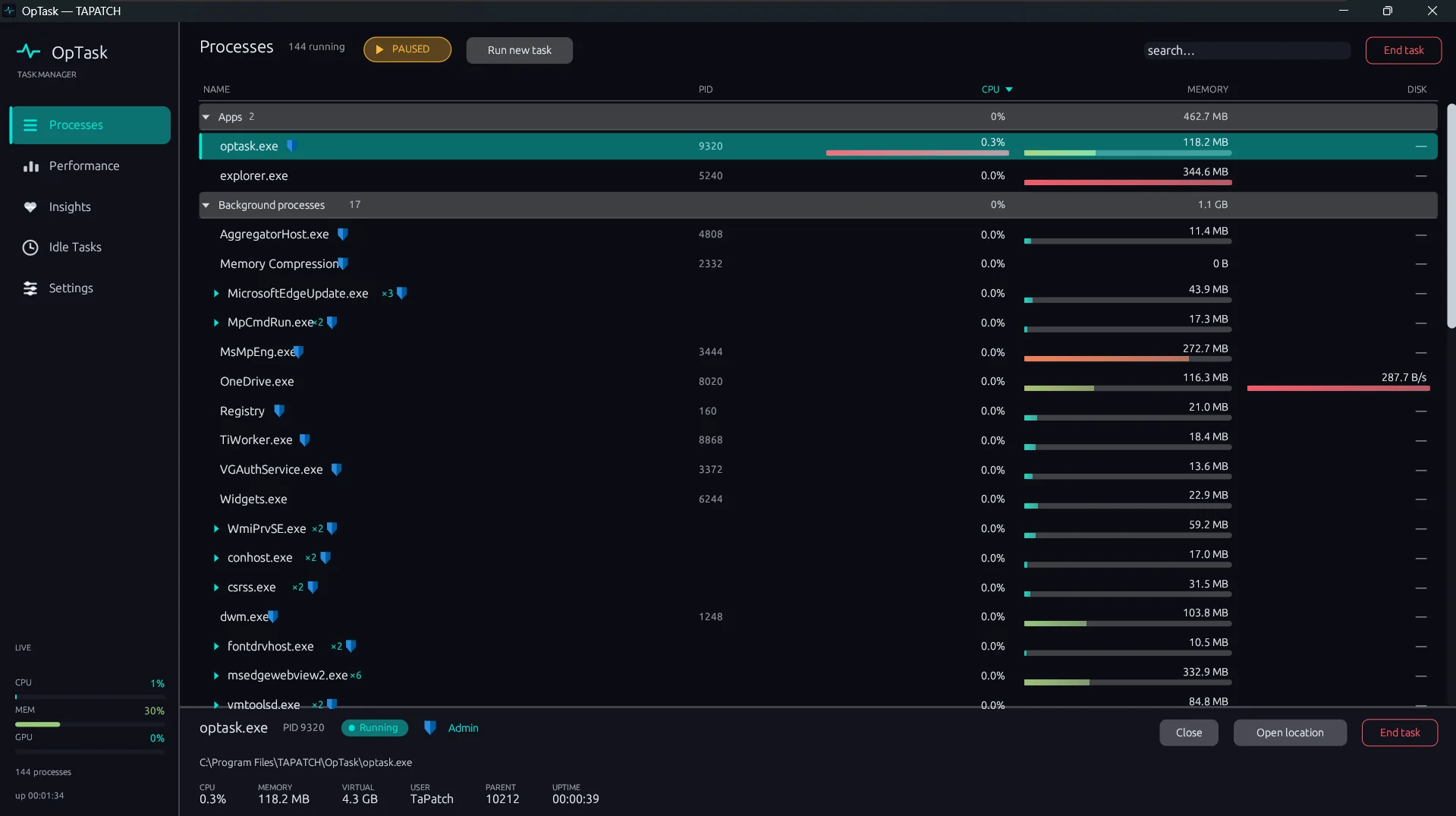
Virtualised, grouped Apps / Background / Windows view with live gradient meters, search, end-task, process-tree kill, and priority control. A shield marks every process that needs admin to end.
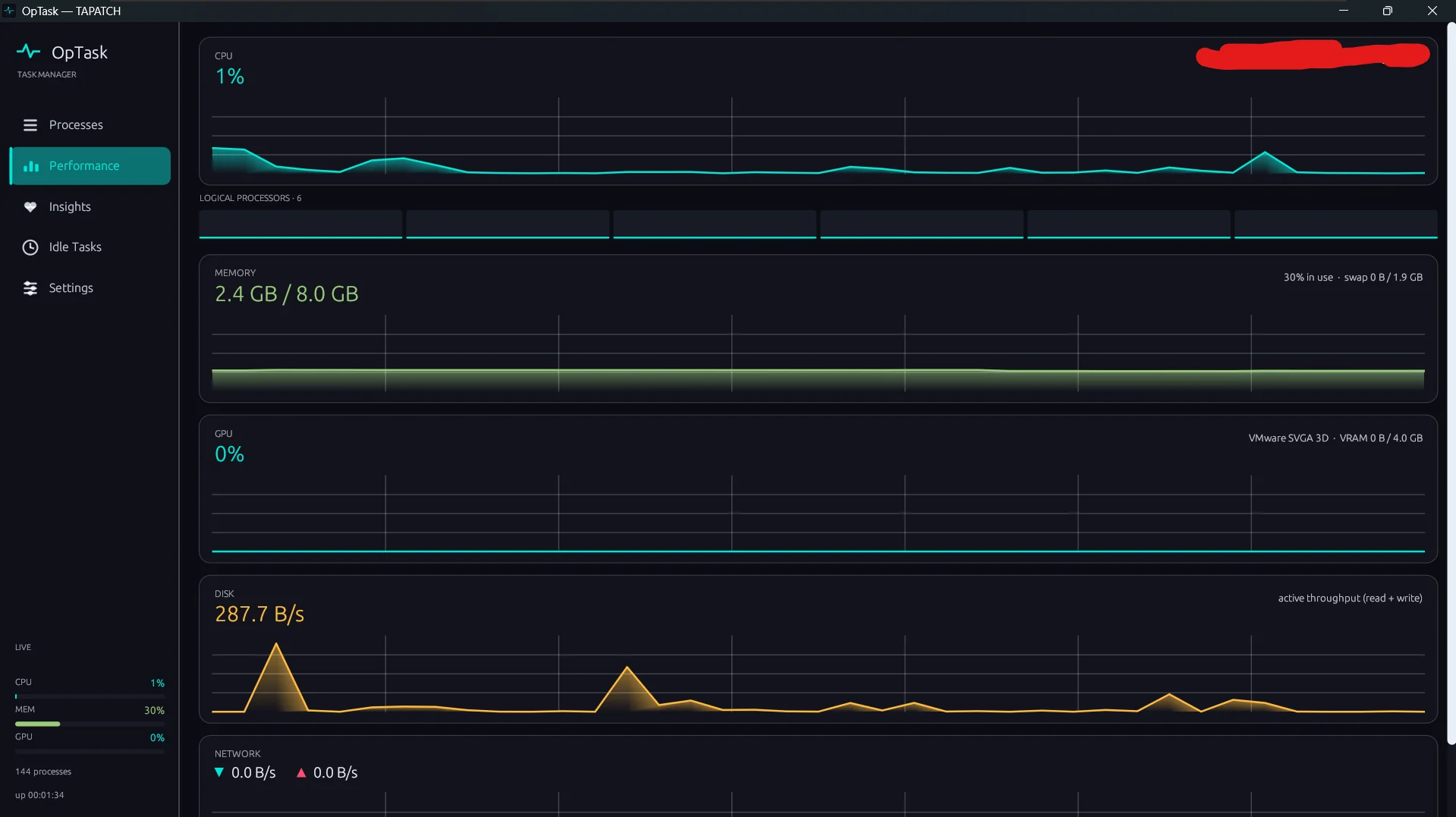
Painted live graphs for CPU, every logical core, memory, GPU (NVIDIA / AMD / Intel), disk throughput, and network up/down — sourced from the same counters Task Manager uses.
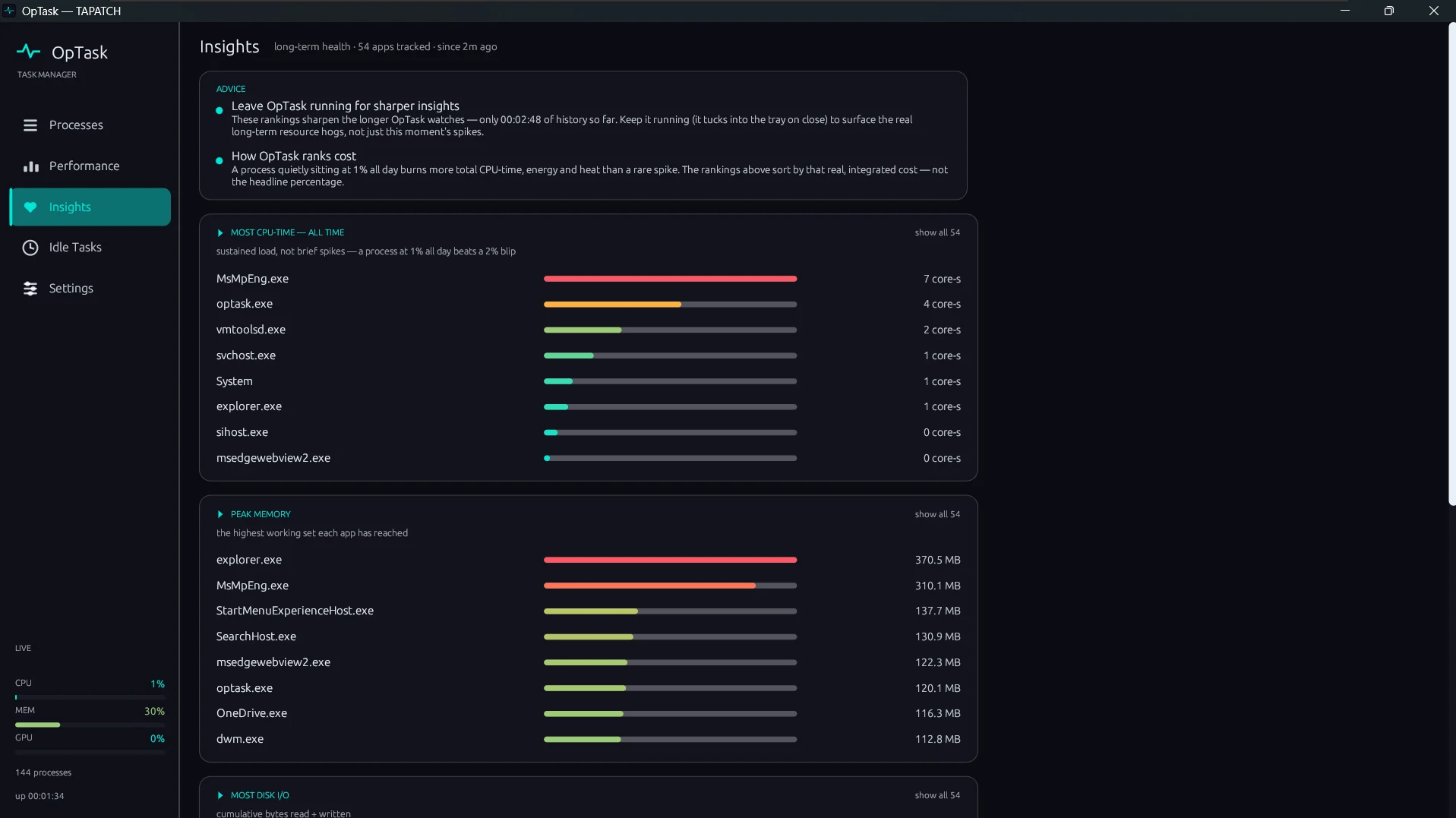
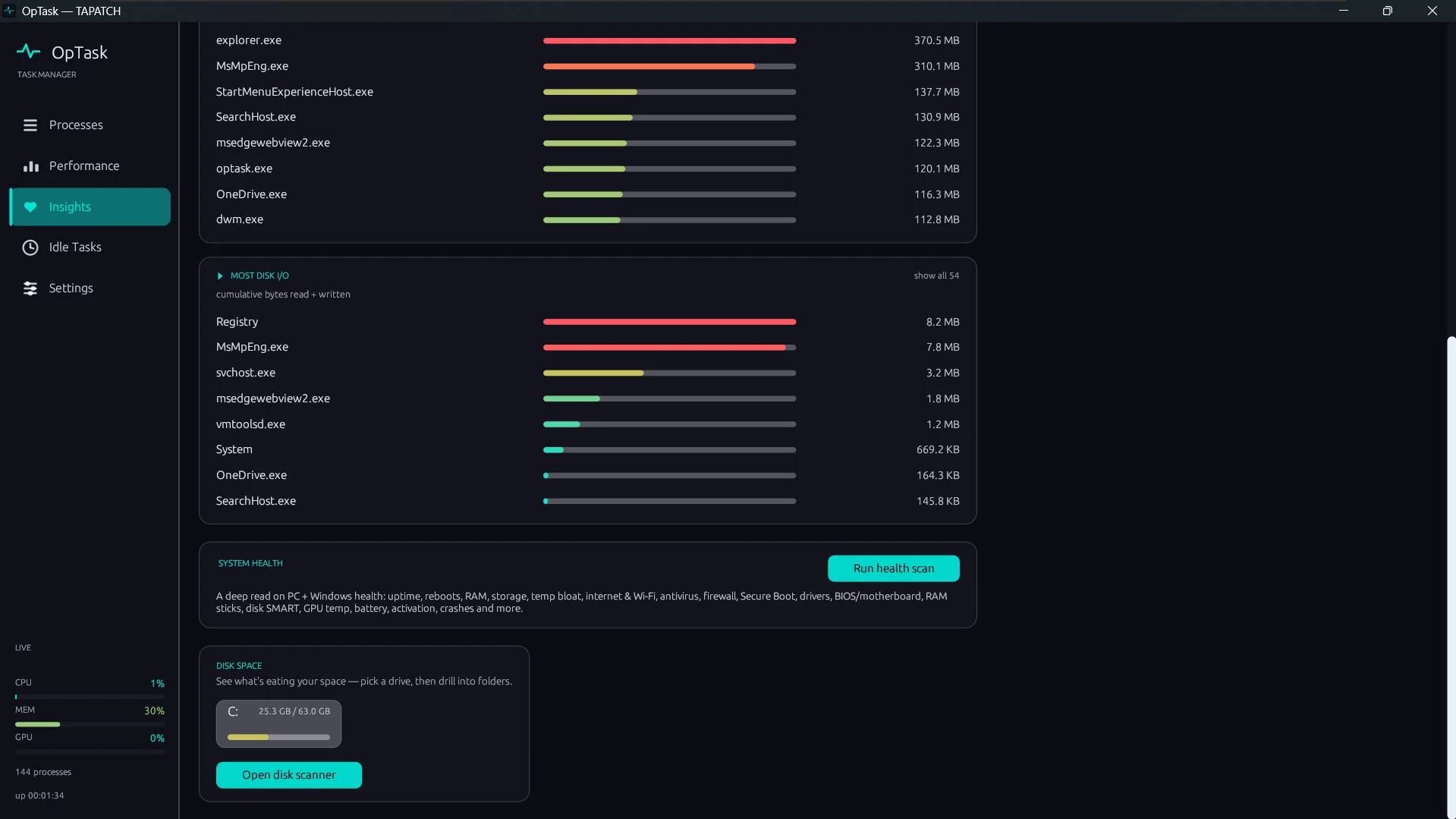
Ranks your real long-term resource hogs by integrated CPU-time, peak memory, and disk I/O — the honest 'what actually costs me' number, not a momentary spike. Expand any ranking to the full list.
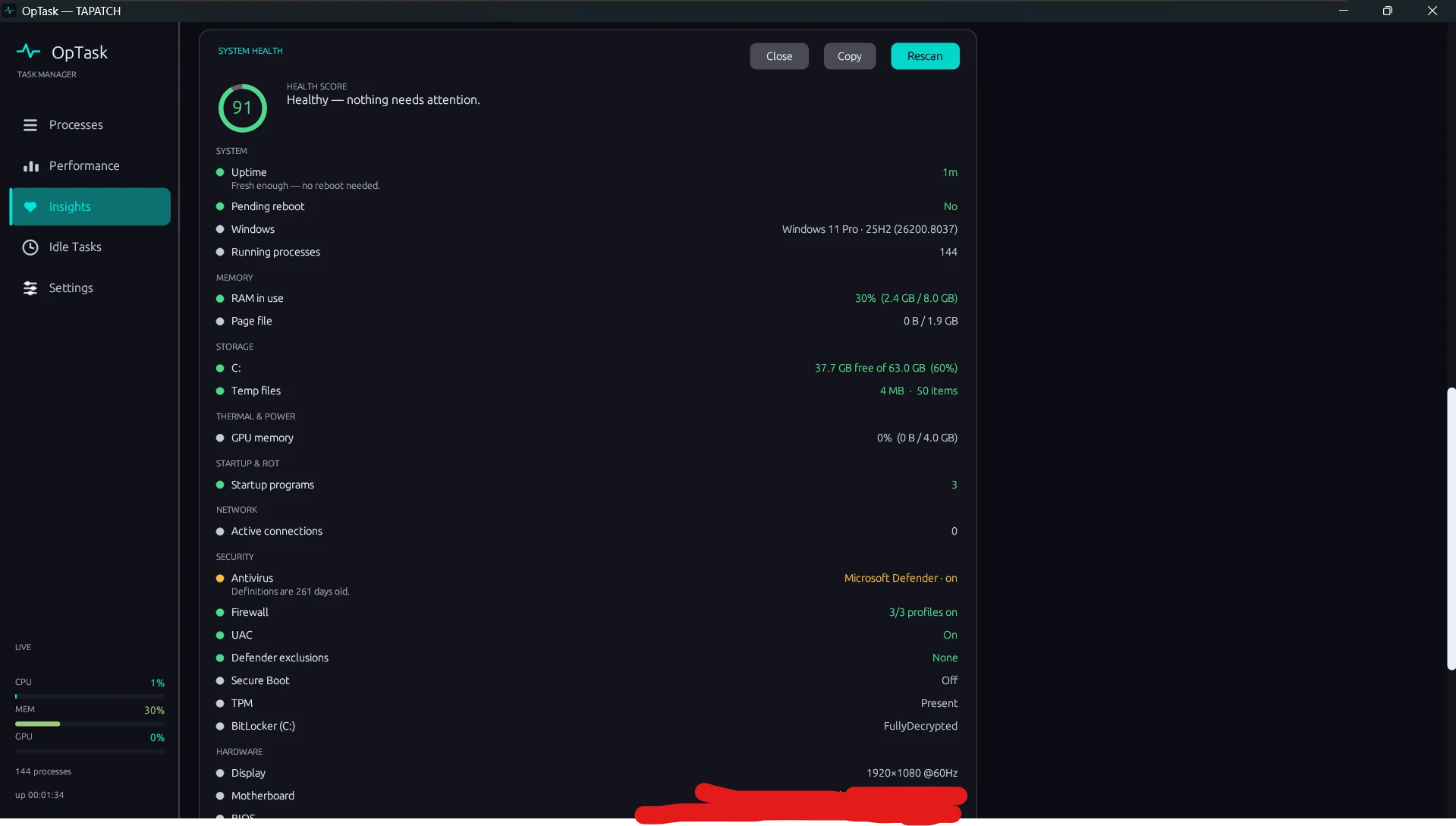
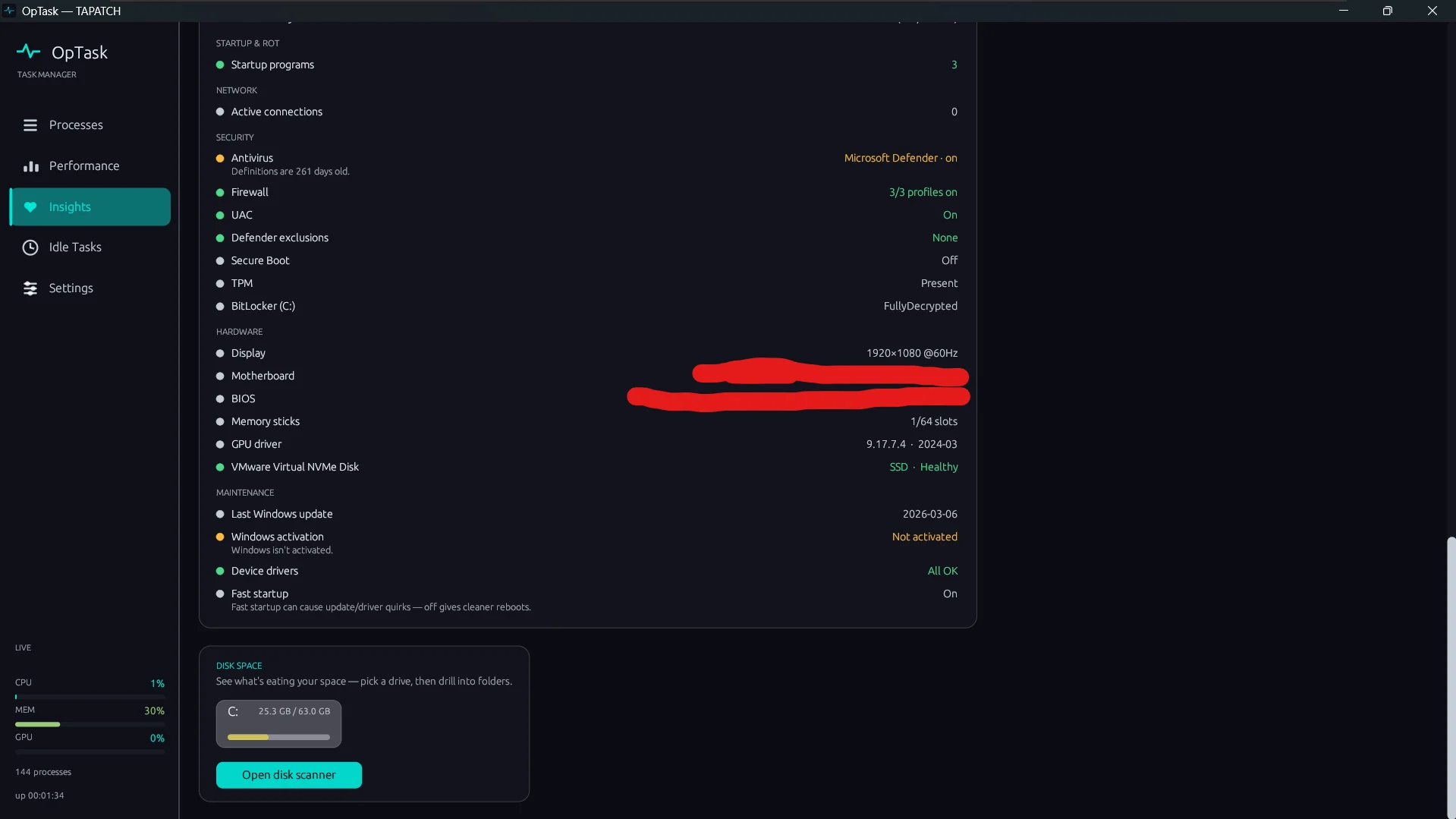
Around 30 checks across system, memory, storage, thermals & power, network, security (Defender, firewall, UAC, Secure Boot, TPM, BitLocker), hardware, and maintenance — scored and colour-coded.
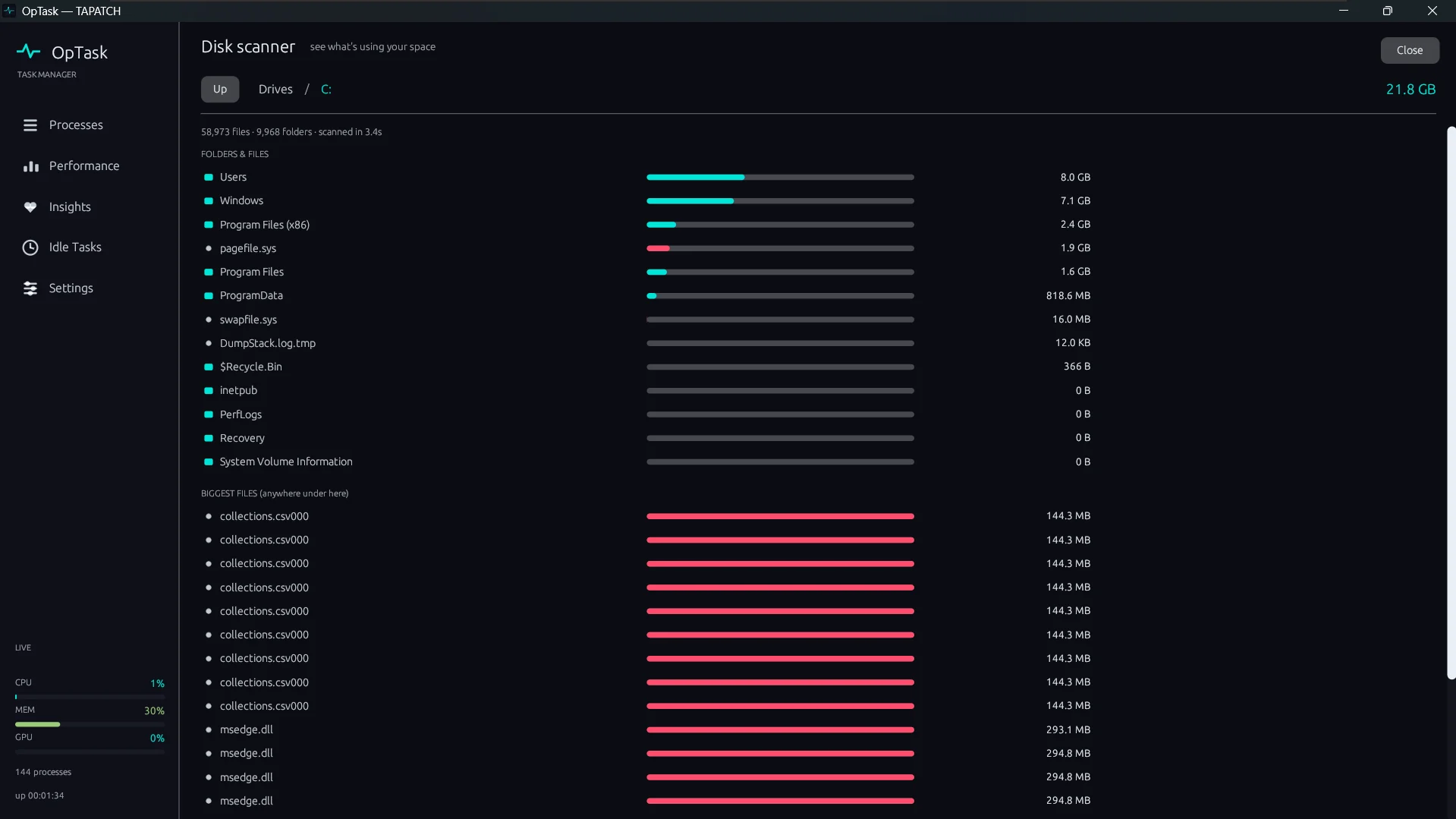
Full-screen WinDirStat-style scan: pick a drive, drill into folders with size bars, find the biggest files, and right-click to open in Explorer or send to the Recycle Bin. Runs at background I/O priority.
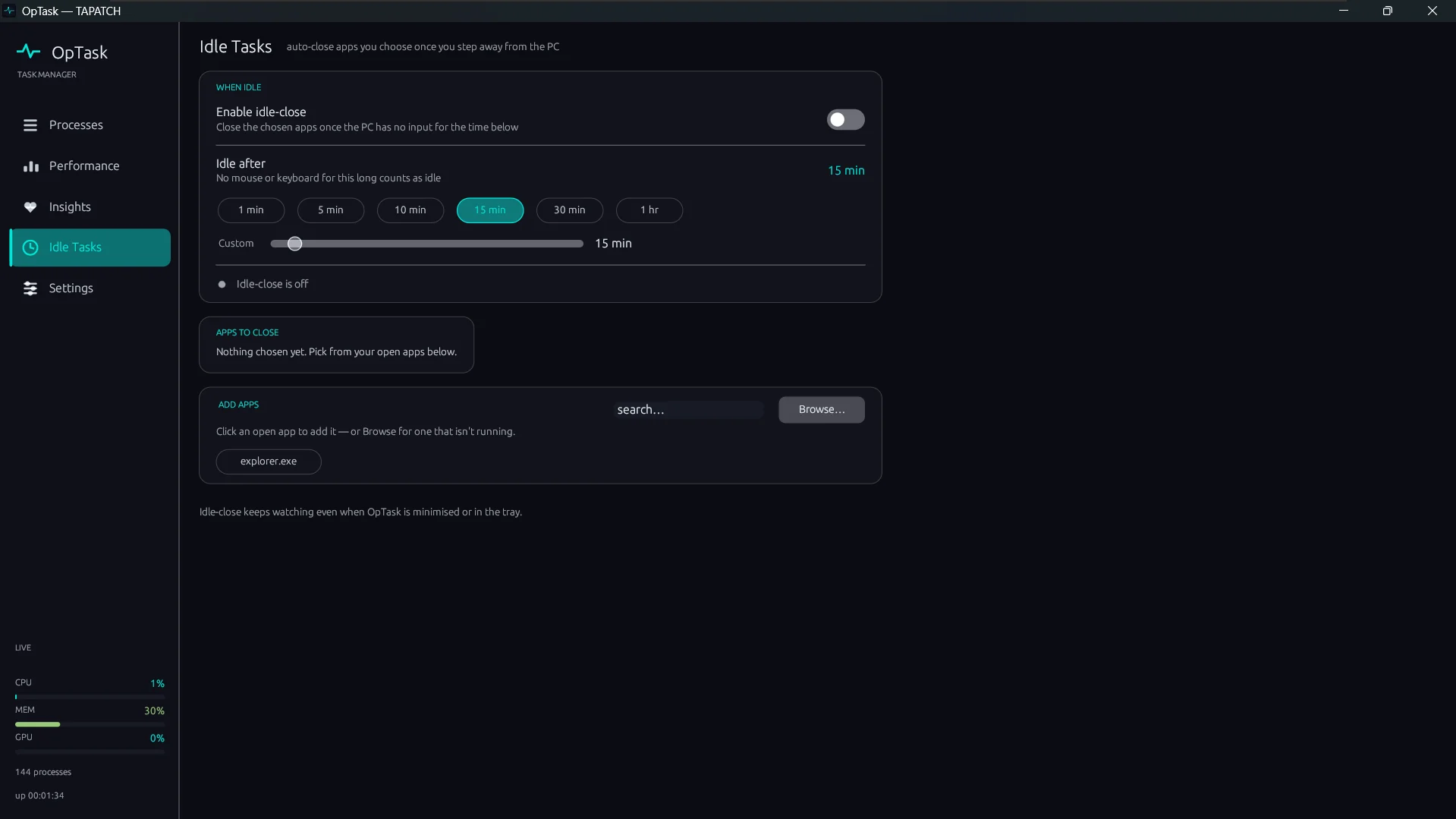
Pick apps to auto-close once the PC sits idle for a time you set. Keeps watching even minimised or in the tray — handy for closing games or browsers when you walk away.
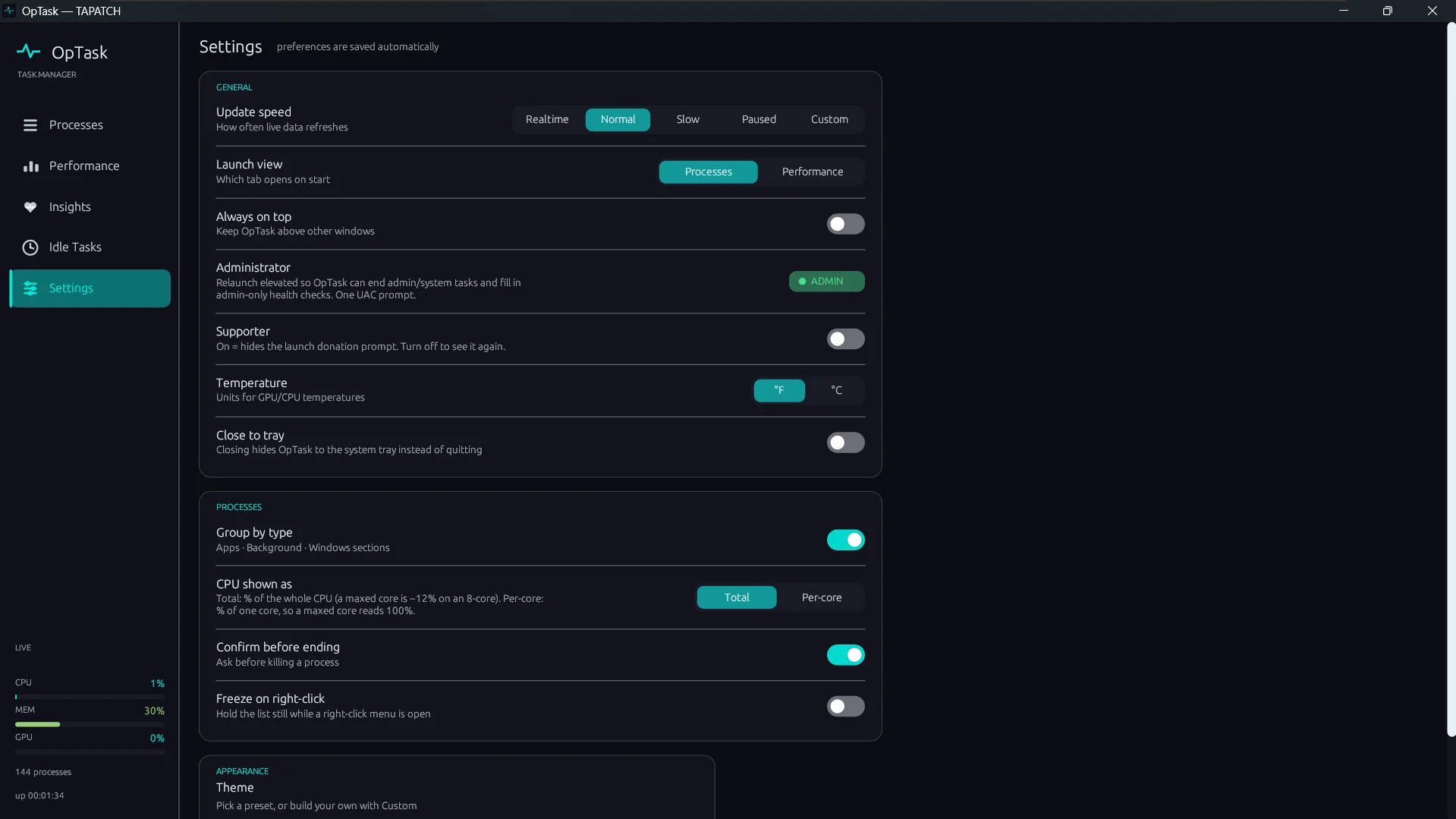
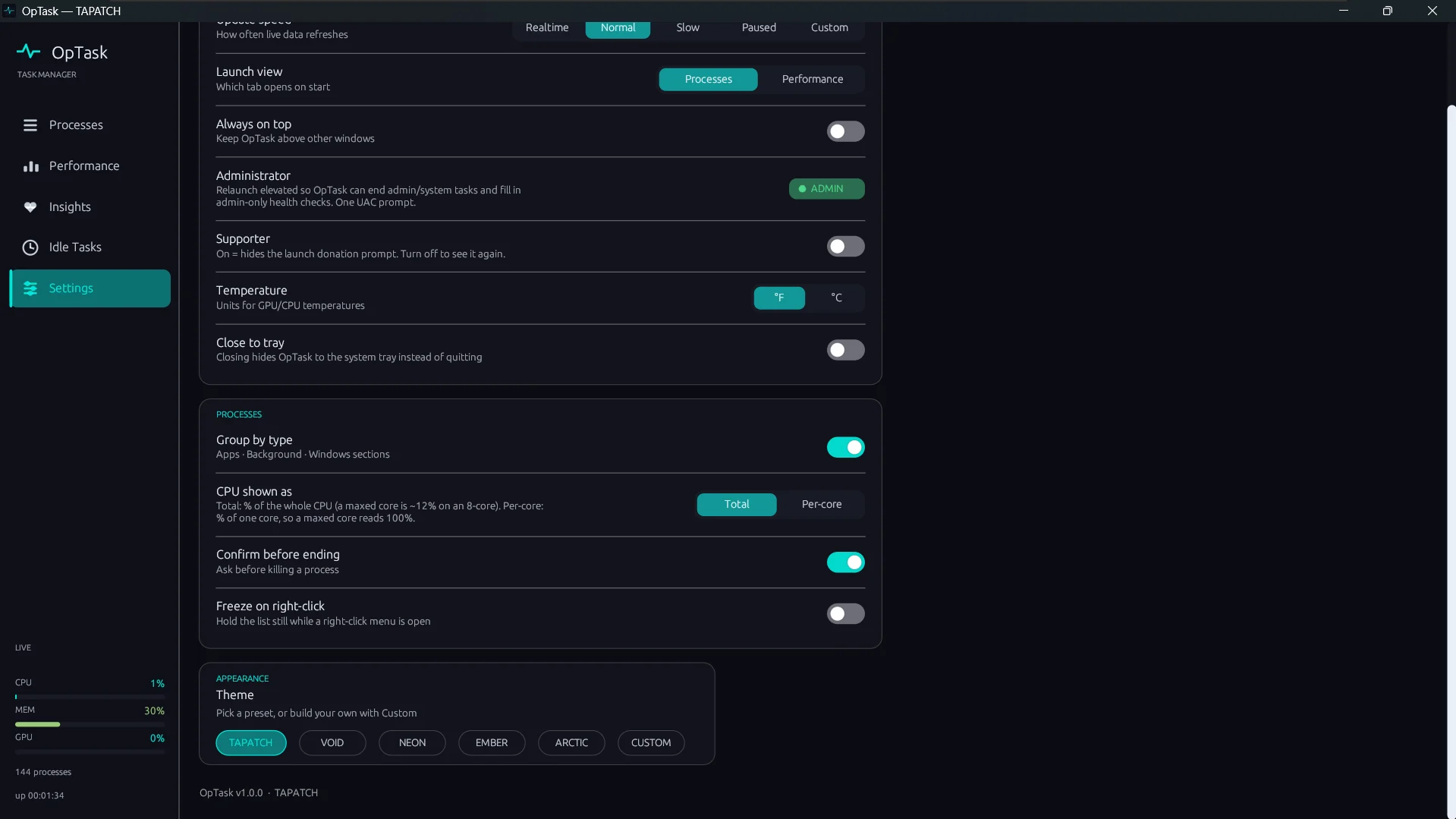
TAPATCH, VOID, NEON, EMBER, ARCTIC presets plus a full custom colour editor. Close-to-tray, always-on-top, °F/°C, and per-core or whole-machine CPU all toggle in Settings.
Windows 10/11 only. GPU temperature requires an NVIDIA card (via NVML); utilisation and VRAM work on every vendor. Viewing Defender exclusions and ending elevated processes require running OpTask as administrator.
Common questions
Is OpTask free?
Yes, for personal use. Using OpTask for a business or for paid work needs a commercial license, as the Software Terms explain.
Is OpTask safe to install?
Every release is scanned by VirusTotal before it goes up, and the full report is linked on this page. Result for this version: 1 / 70.
The installer isn’t code-signed yet, so Windows may show “Windows protected your PC” the first time. Click More info, then Run anyway.
Which Windows versions does OpTask run on?
Windows 10 and Windows 11, 64-bit. It’s a small native app of about 5 MB, with nothing extra to install.
Does OpTask collect my data?
No. TAPATCH tools have no ads, no telemetry and no trackers, and OpTask never sends your files or activity anywhere.
How do I uninstall OpTask?
Open Windows Settings → Apps → Installed apps, find OpTask and choose Uninstall. It asks before deleting your saved settings.
Can I install OpTask from the command line?
Yes, with Scoop: run scoop bucket add tapatch https://github.com/tapatchUSA/packages, then scoop install tapatch/optask.
Guides
Related tools

Changelog
v1.0.7 — Latest ·
- Now opens in virtual machines, Remote Desktop and on PCs without a graphics driver: it switches to Direct3D 12 when OpenGL doesn't work
- If the window still can't open, a message says why instead of the app closing without a word
v1.0.6 — Archived ·
- The English text now uses American spelling everywhere
v1.0.5 — Archived ·
- Background pictures and GIFs: add as many as you like in Settings, tick the ones to show (or Select all), and the ticked ones take turns
- Sliders set how strong the picture is and how see-through the panels are; turn it off any time
- The installer's license text matches the current Terms, and THIRD-PARTY-NOTICES.txt lists the open-source parts it uses
v1.0.4 — Archived ·
- Idle Tasks now also work while OpTask sits in the tray
- "Open file location" now works for apps in folders with spaces, like Program Files
- Deleting on a drive without a Recycle Bin (USB stick, network folder) now warns first that it's permanent
- "End process tree" can no longer end an unrelated program that reused an old process number
- After deleting in the disk scanner, the folders above it show their new size
v1.0.3 — Archived ·
- Now runs on any Windows 10 or 11 PC, even a fresh install: it no longer needs the Microsoft Visual C++ Redistributable (no more "VCRUNTIME140.dll was not found")
- Nothing else changed
v1.0.2 — Archived ·
- Now in 10 languages: English, Chinese (Simplified), Russian, Spanish, Portuguese, German, Japanese, French, Polish and Korean
- Starts in your Windows language (English if yours isn't one of the 10). The first launch asks which language you want, and you can switch any time inside the app
- The installer comes in the same 10 languages
- The Terms of Service are shown translated for convenience, with the official English (US) text, the only binding version, right below
v1.0.1 — Archived ·
- Asks you to accept the TAPATCH Terms of Service the first time it opens (the same terms the installer shows), and can't be used until you agree
- Live monitoring and Idle Tasks wait until the terms are accepted
- Fixed garbled characters in the installer and uninstaller text
v1.0.0 — Archived ·
- Initial public release
- Grouped, virtualised process list with live meters, end-task, process-tree kill, and priority control
- Admin shield on every elevated / system process that needs admin to end
- Performance tab — CPU, per-core, memory, GPU (any vendor), disk, and network graphs
- Insights — long-term CPU-time / peak-memory / disk-I/O rankings with expandable lists and rule-based advice
- System Health scan — roughly 30 checks with a health score, copy, and admin-gated Defender exclusions
- Full-screen Disk Scanner with drill-down, biggest-files, and right-click open / delete to Recycle Bin
- Idle Tasks — auto-close chosen apps when the PC goes idle, with a configurable timeout
- 5 themes + custom editor, close-to-tray, always-on-top, °F/°C, per-core CPU toggle
- Fully offline — no network, no telemetry