Built because every 'small file' tool either bundles FFmpeg, uploads your video, or chokes through a folder one file at a time. DownSample uses the GPU encoder Windows already ships and runs the whole queue in parallel.
DownSample shrinks videos and audio to save disk space — without FFmpeg and without uploading anything. It drives Windows Media Foundation — the OS's own licensed H.264 / AAC — and encodes on your GPU's hardware blocks (NVIDIA, AMD, or Intel iGPU) via Direct3D 11. Drop in files or a whole folder, pick a target height (4K down to 240p or custom), aspect ratio, quality, and audio bitrate, then shrink the entire queue in parallel across every CPU and GPU you have. Preview your settings on a single file first, keep or replace originals, and add a name suffix. No bundled codec, no network, no telemetry — your media never leaves the machine.
Features
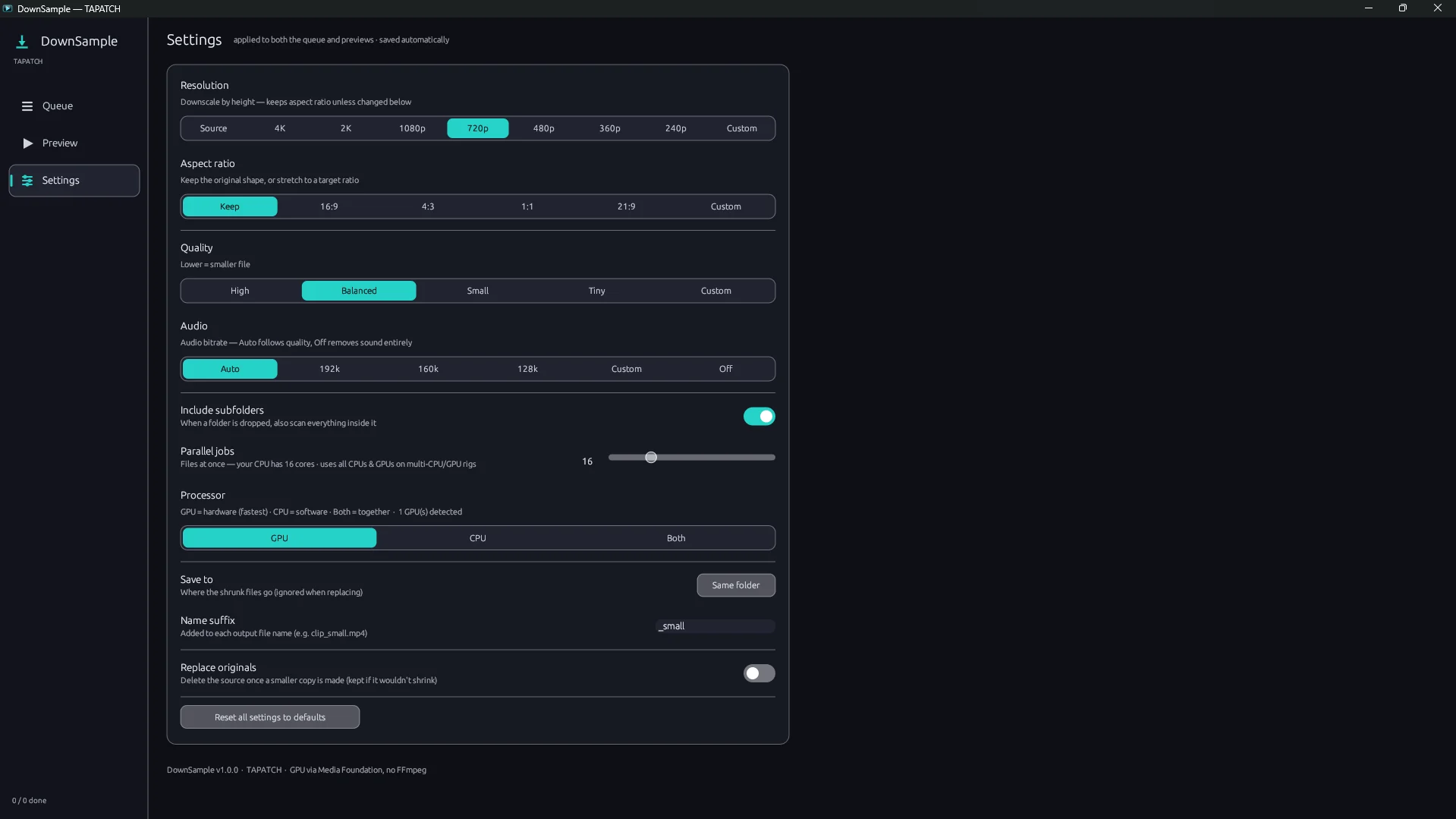
Encodes on your GPU's dedicated video block via Windows Media Foundation + Direct3D 11 — NVIDIA, AMD, or Intel iGPU. Run on GPU, CPU, or both together.
Uses the H.264 / AAC codecs Windows already licenses — nothing bundled, nothing installed, nothing sent anywhere. Fully offline.
Downscale by height — 4K, 2K, 1080p, 720p, 480p, 360p, 240p, or custom — keeping aspect ratio or stretching to 16:9, 4:3, 1:1, 21:9, or your own.
High / Balanced / Small / Tiny quality presets and audio bitrate from Auto down to off — dial the size-versus-quality trade-off exactly.
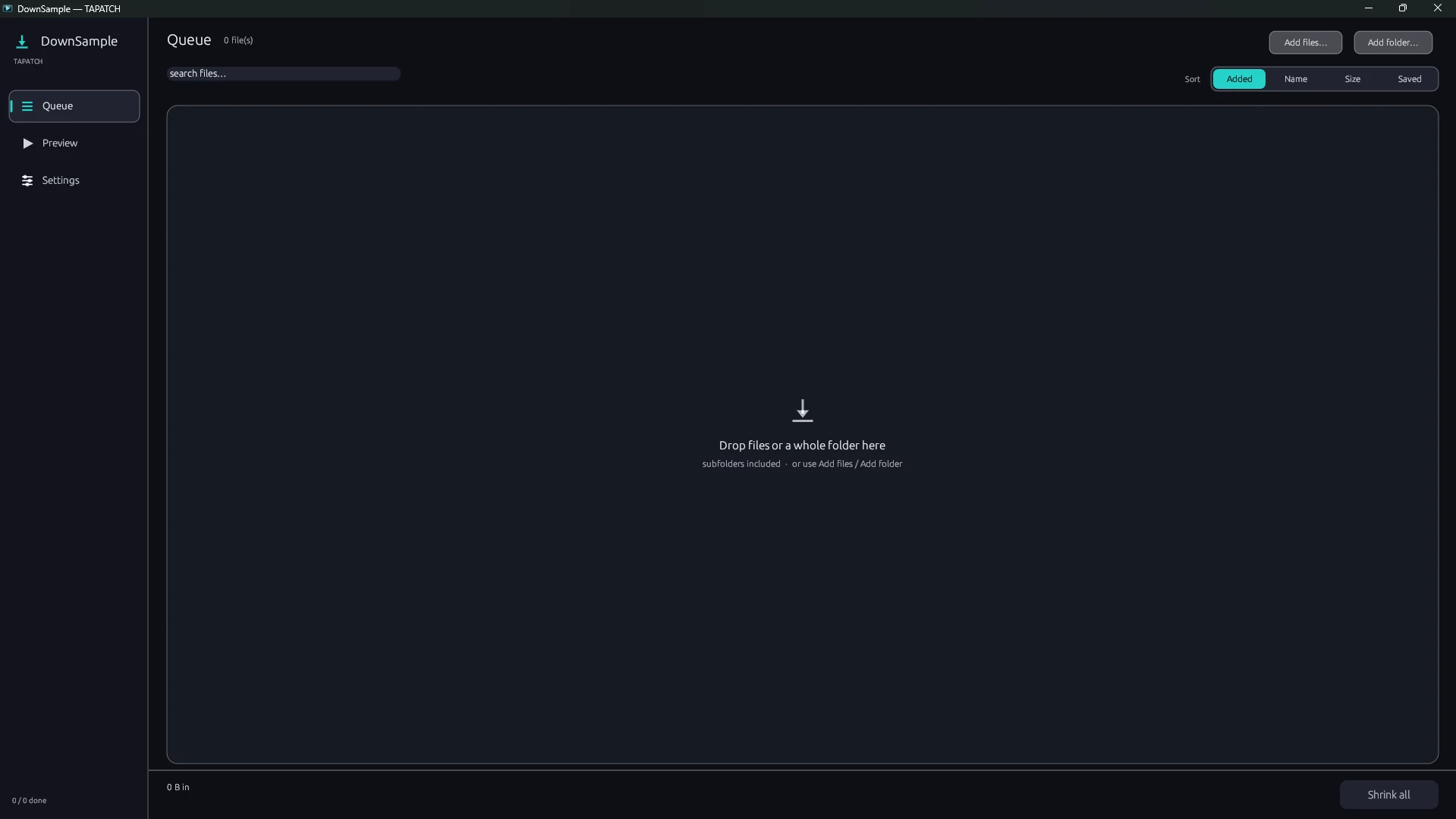
Drop a whole folder (subfolders included) and shrink every file at once across all your CPU cores and GPUs. Sort by added, name, size, or space saved.
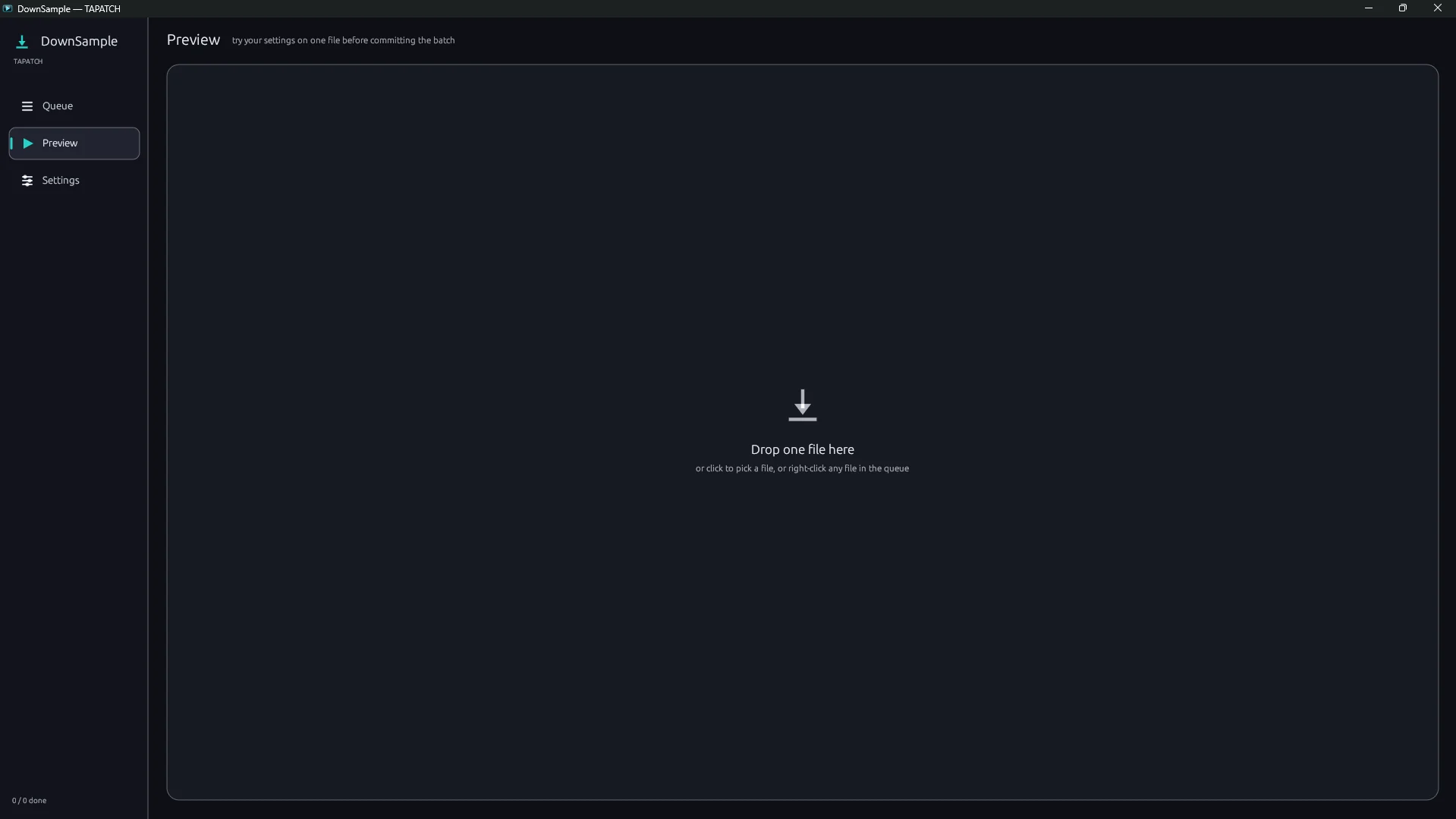
Try your settings on one file first and see the result before running the whole batch. Keep originals or replace them once a smaller copy is made.
Windows 10/11 only. Encodes the formats Windows Media Foundation supports (H.264 / HEVC video, AAC audio in MP4/MOV and common containers); exotic or patent-encumbered formats without a Media Foundation codec aren't covered. Hardware-encode quality depends on your GPU's encoder.
Common questions
Is DownSample free?
Yes, for personal use. Using DownSample for a business or for paid work needs a commercial license, as the Software Terms explain.
Does DownSample need FFmpeg?
No. DownSample uses Windows Media Foundation, which is built into Windows, and your GPU’s video encoder. There’s nothing else to install.
Is DownSample safe to install?
Every release is scanned by VirusTotal before it goes up, and the full report is linked on this page. Result for this version: 1 / 68.
The installer isn’t code-signed yet, so Windows may show “Windows protected your PC” the first time. Click More info, then Run anyway.
Which Windows versions does DownSample run on?
Windows 10 and Windows 11, 64-bit. It’s a small native app of about 4 MB, with nothing extra to install.
Does DownSample collect my data?
No. TAPATCH tools have no ads, no telemetry and no trackers, and DownSample never sends your files or activity anywhere.
How do I uninstall DownSample?
Open Windows Settings → Apps → Installed apps, find DownSample and choose Uninstall. It asks before deleting your saved settings.
Can I install DownSample from the command line?
Yes, with Scoop: run scoop bucket add tapatch https://github.com/tapatchUSA/packages, then scoop install tapatch/downsample.
Guides
Related tools
Changelog
v1.0.8 — Latest ·
- Same font and text sizes as the other TAPATCH apps, so most text is a little bigger
- New UI size in Settings → Size and window: text, buttons and panels get bigger or smaller together (60–200%). Ctrl + and Ctrl − work too, Ctrl 0 goes back to 100%
- The window opens where you left it, on the same screen and at the same size. Or pick Full screen under When the window opens
- The savings tag in the file list no longer overlaps the new file size
v1.0.7 — Archived ·
- Now opens in virtual machines, Remote Desktop and on PCs without a graphics driver: it switches to Direct3D 12 when OpenGL doesn't work
- If the window still can't open, a message says why instead of the app closing without a word
v1.0.6 — Archived ·
- The dot shown while a file is shrinking no longer appears as an empty box
v1.0.5 — Archived ·
- New Theme setting: TAPATCH, Void, Neon, Ember, or Custom with your own colors
- Background pictures and GIFs: add as many as you like in Settings, tick the ones to show (or Select all), and the ticked ones take turns
- Sliders set how strong the picture is and how see-through the panels are; turn it off any time
- The installer's license text matches the current Terms, and THIRD-PARTY-NOTICES.txt lists the open-source parts it uses
v1.0.4 — Archived ·
- Replace originals: the original is only removed once its smaller copy is safely in place
- Two files that end up with the same name (movie.mkv and movie.avi) no longer overwrite each other: the second one becomes "movie (2).mp4"
- Never writes over a file that's already there
v1.0.3 — Archived ·
- Now runs on any Windows 10 or 11 PC, even a fresh install: it no longer needs the Microsoft Visual C++ Redistributable (no more "VCRUNTIME140.dll was not found")
- Nothing else changed
v1.0.2 — Archived ·
- Now in 10 languages: English, Chinese (Simplified), Russian, Spanish, Portuguese, German, Japanese, French, Polish and Korean
- Starts in your Windows language (English if yours isn't one of the 10). The first launch asks which language you want, and you can switch any time inside the app
- The installer comes in the same 10 languages
- The Terms of Service are shown translated for convenience, with the official English (US) text, the only binding version, right below
v1.0.1 — Archived ·
- Asks you to accept the TAPATCH Terms of Service the first time it opens (the same terms the installer shows), and can't be used until you agree
- Added the TAPATCH donation prompt at launch (until you say you've donated), a ♥ for donors, and a Supporter switch in Settings
- Fixed garbled characters in the installer and uninstaller text
v1.0.0 — Archived ·
- Initial public release
- GPU hardware encoding via Windows Media Foundation + Direct3D 11 — NVIDIA / AMD / Intel, no FFmpeg
- Resolution downscale (4K to 240p or custom) with aspect-ratio control
- Quality and audio-bitrate presets, including audio-off
- Parallel batch queue with whole-folder + subfolder import
- Single-file preview, keep-or-replace originals, custom name suffix
- GPU / CPU / Both processor modes with multi-GPU support
- Fully offline — no bundled codec, no network, no telemetry